e-Banking
GUIDELINES FOR ACTIONS TO TAKE UPON RECEIVING A “SECURITY RISK DETECTED” ALERT
To ensure maximum transaction security for customers, National Citizen Commercial Joint Stock Bank (NCB) has officially deployed the BShield application security solution integrated with iziMobiz, enhancing security for customers using the digital banking application.
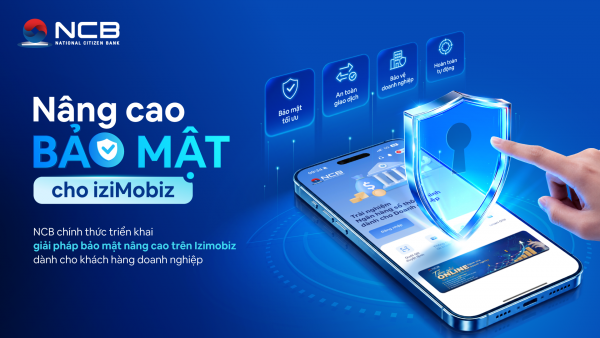
With the upgraded security solution, iziMobiz can automatically detect and issue alerts if a customer’s phone is exposed to security risks such as malicious applications or potential cyberattacks. The system will display a “Security Risk Detected” alert to protect your assets and personal information. Below are detailed instructions on how to respond when receiving this alert.
Case 1: The phone contains an application from an unknown source that has been granted accessibility permissions
You will receive an alert as illustrated below:
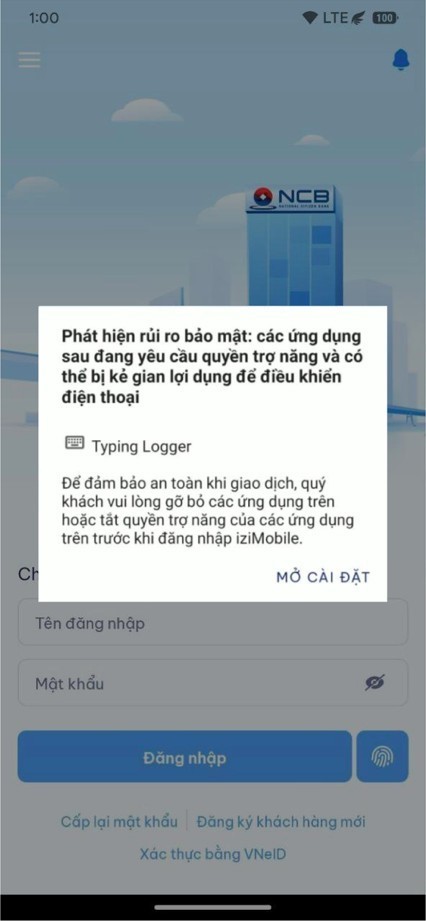
In this case, you may choose to uninstall the application for greater security or disable its accessibility permissions by following these steps:
- Step 1: Select “Open Settings.” The screen will redirect you to the device’s “Accessibility Settings.”
- Step 2: Select “Installed Apps.”
- Step 3: Find the application for which accessibility permissions need to be disabled.
- Step 4: Select “Turn Off” to disable the application’s accessibility permissions.
- Step 5: Fully exit and restart iziMobiz.
Case 2: The phone’s operating environment is not secure
You will receive a detailed alert as illustrated in one of the four images below:
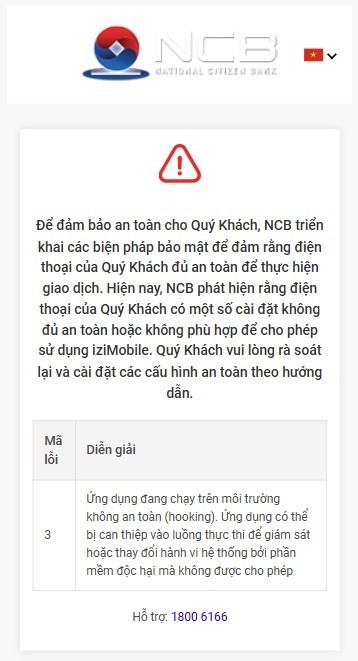
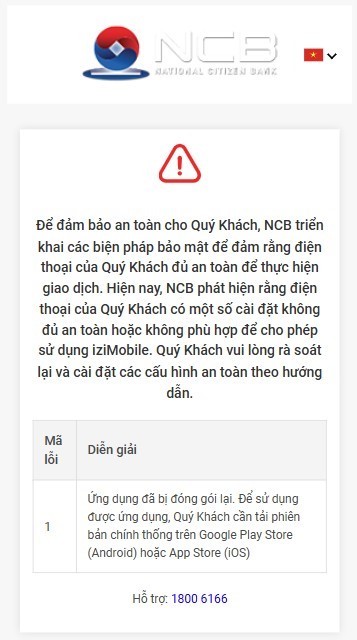
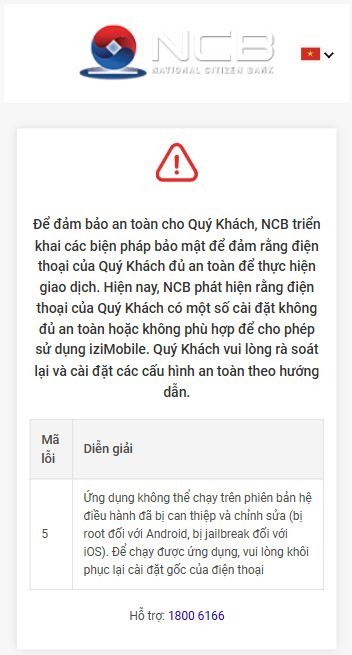
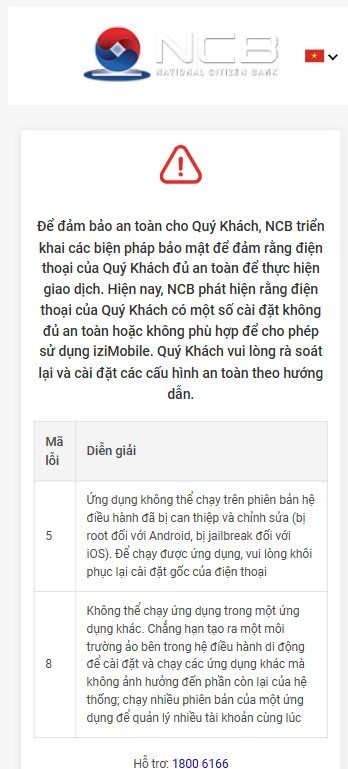
To ensure that your phone provides a sufficiently secure environment for conducting transactions on NCB’s iziMobiz application, please review your phone based on the corresponding alert and disable/lock/remove any insecure features as appropriate, thereby maintaining a secure environment for banking transactions and helping protect your assets.
For any assistance, please contact:
- NCB’s network of Branches/Transaction Offices nationwide.
- Customer Service Center (24/7 Hotline): 1800 6166 – 028 38216 216
- Email: [email protected]