e-Banking
WARNING: COMMON FRAUD SCHEMES
With the increasing popularity of digital financial transactions, cybercriminals have been employing various sophisticated methods to commit fraud and threaten the safety of customers’ assets.
To ensure transaction security, National Citizen Commercial Joint Stock Bank (NCB) advises customers to stay vigilant and avoid revealing personal information that could be exploited for fraudulent purposes.

COMMON FRAUD SCHEMES
* Impersonating bank staff: Fraudsters pose as bank employees offering assistance with credit card issuance, credit limit adjustments, cash advances from credit cards, prize notifications and claim support, bad debt clearance, loan applications through banking apps, credit card replacement, or notifying customers about account issues or “mistaken transfers.” They then instruct customers to access fake links to “resolve” these issues and steal personal and banking information for financial gain.
* Impersonating police or authorities: Scammers pretend to be police officers or regulatory officials, claiming that customers’ personal data has been leaked or that they are involved in legal violations. They demand customers log in to fake links or transfer money “for investigation purposes.”
* Distributing fake government service apps containing malware: Fraudsters impersonate government officials and ask victims to download counterfeit public service apps (e.g., fake versions of VNeID, Ministry of Public Security, General Department of Taxation, EVN, etc.). Once installed, the malicious software allows criminals to access and control victims’ mobile devices, stealing banking information and transferring funds.
* Impersonating delivery staff: Scammers claim payment errors or incorrect bank account details when customers make transfers for deliveries. These accounts are actually used to register paid shipper memberships, resulting in automatic monthly deductions. When victims attempt to cancel or request refunds, the fraudsters send malware links, gaining control of their phones and stealing funds.
* Investment and cryptocurrency scams promising high commissions: Fraudsters lure victims into investing via fake websites or apps, promising high returns and easy withdrawals. They initially pay small profits to build trust but later block access and abscond with all deposited funds once victims invest larger amounts.
* Deposit scams for travel or online purchases: Scammers create fake pages or social media groups impersonating travel agencies, airlines, hotels, or homestays to trick customers into transferring deposits, which are then stolen.
NCB’S RECOMMENDATIONS TO PROTECT PERSONAL INFORMATION:
* Stay alert to unknown calls or messages claiming to be from government agencies. Never disclose personal information, card details, OTP/Smart OTP codes, usernames, or passwords — even to those claiming to be bank staff.
* Disable the Accessibility feature on Android devices for all applications currently using it.
Do not click on suspicious links received via email, SMS, social media, or phone calls requesting personal or banking information.
* Only download applications from trusted developers via official stores — Google Play (Android) and App Store (iOS).
* Keep devices updated with the latest security software and banking app versions.
* Regularly monitor account balances and card statements to promptly detect unusual transactions.
Never transfer money based on requests from nknown callers — even those claiming to represent the police, tax authorities, or government agencies. Always verify recipient identities by calling their official phone numbers directly (not through chat or video apps).
* USE biometric authentication methods such as fingerprint or facial recognition to protect your bank account when logging into banking and payment applications. DO NOT store any banking security information on mobile applications.
* Once again, NCB STRONGLY ADVISES customers to remain highly vigilant against any messages, calls, or emails that request access to website links, login credentials, or personal or account information.
* If you suspect or detect signs of fraud, IMMEDIATELY LOCK YOUR CREDIT CARD OR ACCOUNT by following these steps:
+ To lock your payment account:
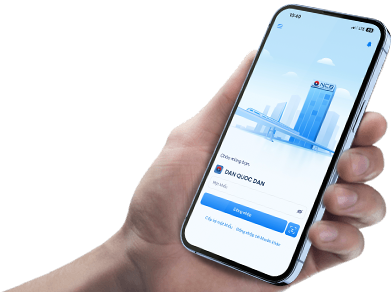
Open the NCB iziMobile login screen and enter the wrong password five consecutive times. The system will automatically record the account as locked and prevent unauthorized access in the next login session.
+ To lock or restrict the use of your credit card:
Log in to the NCB iziMobile application and navigate to Card Services. Depending on your needs, you may:
- Lock the entire card: Go to the “Lock Card” section to temporarily disable all transaction functions. You can reactivate the card anytime via the NCB iziMobile app.
- Customize card locks as needed: Go to the “Manage Card Transactions” section to enable or disable specific types of transactions such as POS payments, online payments, or ATM withdrawals.
Or, call NCB’s 24/7 Customer Service Hotline (1800 6166) to request assistance with locking your card, freezing your NCB iziMobile account, or other support services.
NCB confirms that it has only one official website, one verified Facebook fanpage (with a blue check mark), and one official recruitment fanpage:
* Official Website: https://www.ncb-bank.vn/
* Official Facebook Page: https://www.facebook.com/NCBVietNam
* Official Recruitment Page: https://www.facebook.com/tuyendung.NCB
For any suspected fraudulent activity related to NCB, customers are advised to contact the nearest Police Department immediately or reach out to NCB’s 24/7 Customer Support Hotline (1800 6166), email: [email protected], or visit the nearest NCB branch or transaction office.
NCB sincerely thanks our valued customers and wishes you safe, secure, and convenient experiences with NCB’s products and services.